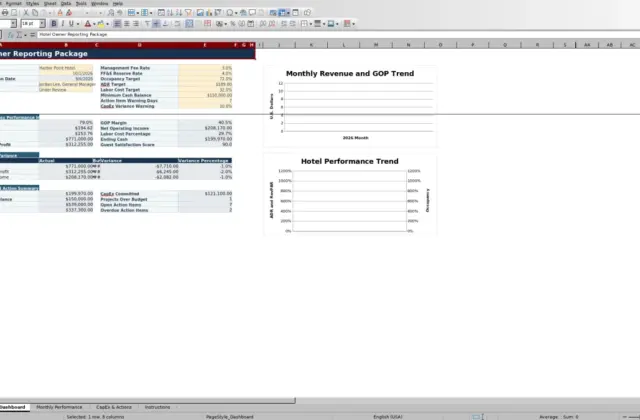
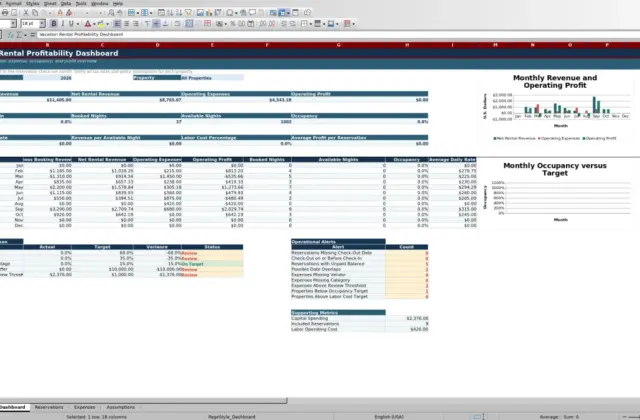
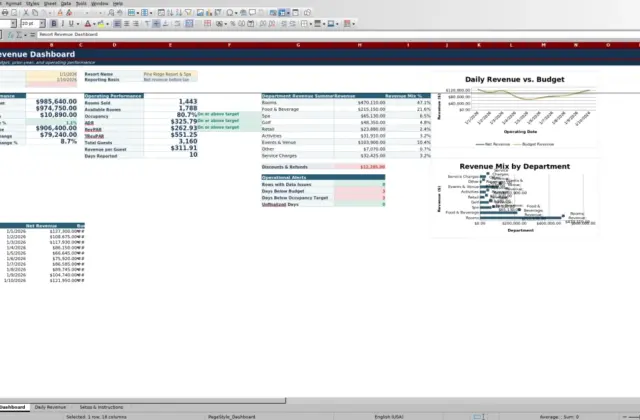
Revenue · XLSX
Hotel Monthly Profit and Loss Spreadsheet Free Excel Template for 2026
Track hotel revenue, expenses, budget variance, GOP, and net operating income with this 2026 hotel monthly profit and loss spreadsheet.
Formula and workbook structure checked before publication
This hotel monthly profit and loss spreadsheet is a free Excel template for organizing 2026 operating results. It brings monthly transaction records, a detailed P&L statement, hotel performance indicators, and management reporting into one workbook.
Enter or paste summarized actual and budget records by account, department, scenario, and source reference. The workbook calculates monthly totals, dollar and percentage variances, prior-month changes, gross operating profit, GOP margin, and net operating income.
A month and department dashboard helps hotel owners, general managers, controllers, and department leaders review financial performance alongside occupancy, average daily rate, revenue per available room, and labor cost percentage.
At a glance
What this workbook helps you manage
- Compares monthly actual results with budget and prior-month actual results.
- Organizes hotel revenue and expenses by department, P&L section, and line item.
- Connects operating statistics with occupancy, ADR, RevPAR, and labor cost percentage.
- Flags selected missing, zero, duplicate, date, mapping, and room-capacity issues for review.
See the actual file
Inside the workbook
Included in the file
- Four worksheets: Dashboard, Monthly P&L, Transactions, and Setup.
- Actual, budget, variance, and prior-month columns across the detailed P&L.
- Dashboard selectors for reporting month and nine department views, including All Departments.
- Two dashboard charts using monthly total revenue and revenue-category amounts.
How to use the template
1. Review the Setup sheet
Start with the property assumptions, including property name, room count, labor cost target, GOP margin target, occupancy alert threshold, revenue variance alert threshold, and expense variance alert threshold. The sheet also contains the workbook lists used for scenarios, departments, P&L sections, source systems, and P&L lines.
Enter monthly operating information in the prepared monthly operations area. The Dashboard uses these records to calculate occupancy, ADR, and RevPAR. A formula-driven check identifies zero available room nights, rooms sold above available room nights, or a duplicate month.
2. Enter or paste summarized records
Use the Transactions sheet for one summarized monthly record per account, department, scenario, and source reference. Available fields include:
- Transaction Date and calculated Reporting Month
- Scenario, Department, P&L Section, and P&L Line
- Account Code and Account Description
- Amount, Source System, and Source Reference
- Prepared By, Entry Date, Notes, and Data Check
Choose Actual or Budget as the scenario and enter revenue and expense amounts as positive values. Records can be entered manually or pasted into the prepared transaction table. The workbook does not connect directly to hotel systems.
3. Review transaction data checks
Read the Data Check result for each populated row before relying on the report. The formulas can identify missing transaction dates, scenarios, departments, P&L sections, P&L lines, and amounts. They also flag zero amounts and transaction dates outside January through December 2026.
4. Select the reporting view
On the Dashboard, select a Reporting Month and choose All Departments or a specific department. The Monthly P&L and Dashboard update from the transaction records. Review actual results, budget variances, prior-month changes, summary indicators, operational checks, and the two dashboard charts.
What does the hotel monthly P&L show?
The Monthly P&L organizes results into revenue, departmental expenses, undistributed operating expenses, fixed charges, and calculated profit measures. Revenue lines include rooms, food, beverage, meeting room rental, resort or amenity revenue, parking revenue, and other operating revenue.
For each reported line, the sheet presents Actual, Budget, Variance $, Variance %, Prior Month Actual, Change vs. Prior Month $, and Change vs. Prior Month %. This structure lets operators examine both plan performance and month-over-month movement without rebuilding calculations for each reporting period.
The sheet uses the month and department selected on the Dashboard. Its filterable P&L layout also keeps the headers visible while reviewing the report.
How can hotel managers review monthly profitability?
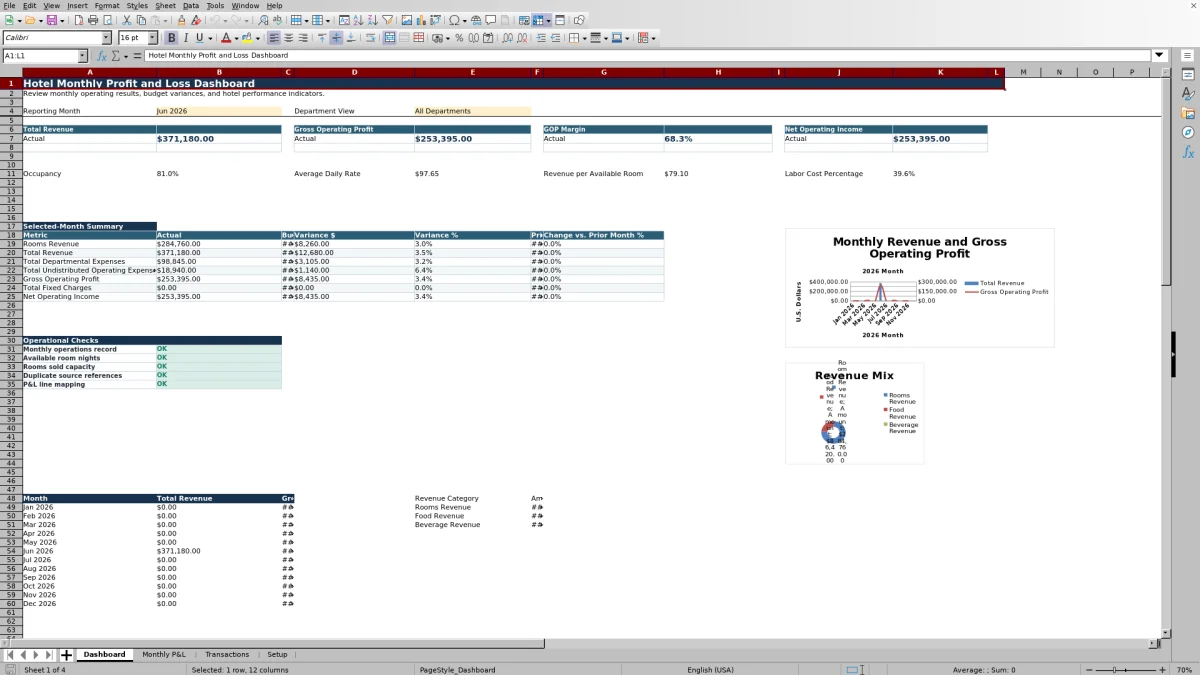
The Dashboard places Total Revenue, Gross Operating Profit, GOP Margin, and Net Operating Income at the top of the reporting view. A selected-month summary then compares Rooms Revenue, Total Revenue, Total Departmental Expenses, Total Undistributed Operating Expenses, Gross Operating Profit, Total Fixed Charges, and Net Operating Income.
Each summary line includes actual and budget results, dollar variance, percentage variance, prior-month actual, and percentage change from the prior month. This allows management to move from a high-level result to the corresponding detail on the Monthly P&L.
The Dashboard also includes a 12-month total revenue series and a chart based on revenue-category amounts for rooms, food, and beverage.
Which hotel departments can be analyzed?
The Department View selector includes All Departments, Rooms, Food & Beverage, Other Operated Departments, Administrative & General, Sales & Marketing, Property Operations & Maintenance, Utilities, and Fixed Charges.
Selecting All Departments aggregates matching transaction records across the property. Selecting a department limits the Monthly P&L calculations to records assigned to that department. Consistent department, section, and P&L line selections in Transactions are therefore important for a reliable departmental review.
Using the prepared lists supports consistent transaction classification across actual and budget entries.
How are hotel operating metrics connected to the P&L?
The Setup sheet stores monthly operating statistics used by the Dashboard. Occupancy is calculated from rooms sold and available room nights. Average daily rate uses rooms revenue and rooms sold, while revenue per available room uses rooms revenue and available room nights.
Labor cost percentage compares the monthly labor amount from the operating record with total revenue from the Monthly P&L. These measures appear beside the financial summary so operators can evaluate whether a revenue or profit result is accompanied by changes in room demand, rate, room productivity, or labor cost.
Operational checks on the Dashboard also show the status of the monthly operations record, available room nights, rooms sold capacity, duplicate source references, and P&L line mapping.
Questions about this workbook
Does the spreadsheet compare actual results with budget?
Yes. Transactions can be classified as Actual or Budget. The Monthly P&L calculates both dollar and percentage variances for the selected reporting month and department.
Can the workbook compare results with the prior month?
Yes. The Monthly P&L includes Prior Month Actual, Change vs. Prior Month $, and Change vs. Prior Month % columns. The Dashboard selected-month summary also shows prior-month values and percentage changes.
Can I report one hotel department at a time?
Yes. The Dashboard provides a department selector for All Departments and eight specific departmental or expense views. The selected view flows through to the Monthly P&L calculations.
Does this Excel workbook connect directly to a PMS or POS?
No. The workbook does not connect directly to hotel systems. Summarized records may be entered manually or pasted into the Transactions sheet, where the Source System field can identify entries such as PMS Export, POS Export, Payroll Report, Accounting Export, or another listed source.
What hotel KPIs are included on the Dashboard?
The Dashboard shows occupancy, average daily rate, revenue per available room, and labor cost percentage. It also displays Total Revenue, Gross Operating Profit, GOP Margin, and Net Operating Income.
Transparent credits
Editorial and workbook QA bylines
The named editorial signatures and their responsibilities stay consistent across the library.

Workbook guide and editorial context
Audrey Whitmore
Audrey Whitmore is the consistent editorial byline for practical setup guidance written from each workbook’s final manifest and published features.
Meet the editorial byline →
Workbook structure and formula QA byline
Ethan Cole
Ethan Cole is the consistent QA byline shown only when recorded checks pass for worksheet structure, formulas, validations, recalculation, and the published XLSX bytes.
See the QA byline and checks →